



Independent, privacy-focused web browsing for macOS
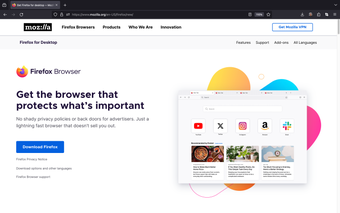
Mozilla Firefox for Mac is a full-featured web browser built to deliver fast, reliable, and customizable access to the modern web. It supports core browsing tools such as tab management, bookmarks, extensions, and private browsing, while remaining widely compatible with websites and web apps. Its open-source foundation emphasizes transparency, user control, and independence from tightly integrated commercial ecosystems.
Top Recommended Alternative
Mozilla Firefox for Mac integrates privacy protections into everyday browsing through built-in tracking prevention, enhanced security controls, and flexible permissions. Sync features keep bookmarks, passwords, and tabs consistent across devices, supporting users who work across multiple systems efficiently and securely.
Performance, customization, and daily usability
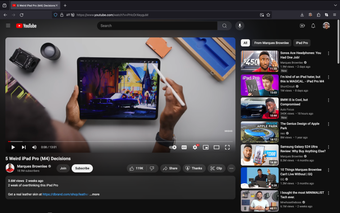
Mozilla Firefox for Mac delivers consistent performance across everyday tasks such as streaming, multitasking with multiple tabs, and running web-based productivity tools. Memory management improvements support smoother operation during extended sessions. The interface feels native to macOS, supporting system gestures, keyboard shortcuts, and accessibility options. Users can customize toolbar layouts, themes, and default behaviors, allowing the browser to adapt to personal workflows rather than forcing rigid presets.
Extension support remains a major strength. The browser’s add-on ecosystem offers tools for productivity, development, accessibility, and content management. Developers benefit from integrated web tools, while general users can enhance features without noticeably affecting performance. This combination of flexibility, stability, and customization makes the browser well-suited for both casual browsing and more technical or specialized workflows, accommodating a wide range of user needs effectively.
Despite its many strengths, Firefox can feel slower than some competitors in highly optimized web apps or media-heavy pages. Certain websites are occasionally better tuned for other browser engines, which can result in minor compatibility quirks. The wide range of settings can also feel overwhelming for users who prefer minimal configuration, requiring additional time to fully explore available options.
A balanced macOS browsing option
Mozilla Firefox for Mac stands out as a dependable, privacy-respecting browser that prioritizes user choice. It combines solid performance, strong customization, and built-in security without locking users into a single ecosystem. While it may not always be the fastest option in every scenario, it offers a well-rounded browsing experience for users who value control, transparency, and long-term reliability.